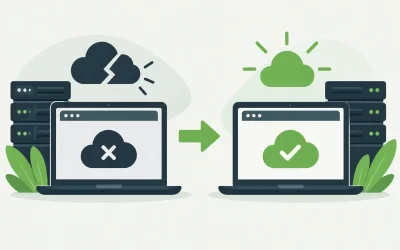
A WooCommerce store can look polished, have strong products, and still lose sales because checkout stalls or pages take too long to load. The best WooCommerce hosting features address the work an online store does behind the scenes: processing database requests, protecting customer data, handling traffic spikes, and keeping the site available when customers are ready to buy.
For a small catalog with steady traffic, a quality shared or managed WordPress plan may be enough. A growing store with frequent promotions, many plugins, or hundreds of daily orders needs more processing headroom. The right decision is not about buying the biggest server available. It is about choosing hosting that fits your store’s current workload and gives you a clear path to grow.
Best WooCommerce Hosting Features to Prioritize
SSD storage and fast server resources
WooCommerce relies heavily on its database. Every product search, cart update, inventory check, account login, and order request creates work for the server. SSD-based storage helps the server retrieve files and database information faster than traditional hard drives, which can improve everyday store responsiveness.
Storage alone does not determine speed. Look at the resources behind the plan, including CPU capacity, memory, database performance, and the number of sites or processes the account can handle. A low-cost plan can work well for a new store, but it may slow down when too many resource-heavy plugins, large product images, or simultaneous shoppers compete for limited capacity.
For stores with recurring sales events or seasonal demand, cloud hosting, VPS hosting, or a managed WordPress environment can offer more consistent performance than an entry-level shared plan. The better choice depends on your traffic pattern, not just your average monthly visitor count.
Caching that works with dynamic store pages
Caching is essential for fast WooCommerce pages, but it has to be configured correctly. Your home page, category pages, and product pages can often be cached for faster delivery. Cart, checkout, and customer account pages should generally stay dynamic so shoppers see the right items, prices, shipping options, and account details.
A hosting environment with server-level caching or WordPress-aware caching support can reduce the amount of work required to serve repeat visitors. However, aggressive caching can cause problems when it is applied carelessly. If a customer sees an outdated cart or a promotion fails to update, fast page loads will not make up for a poor buying experience.
Choose a provider that supports caching tools compatible with WooCommerce and gives you enough control to exclude the pages that must remain personalized. This is especially useful for stores using memberships, subscriptions, product personalization, or location-based shipping rules.
Reliable uptime and active monitoring
Every minute of downtime can mean missed revenue, abandoned carts, and support requests. Reliability is more than a stated uptime percentage. It includes stable infrastructure, proactive monitoring, responsive technical support, and a recovery process when something fails.
Ask how the hosting provider handles hardware issues, network interruptions, and service outages. Also consider whether support is available around the clock. A store does not stop taking orders at 5 p.m., and a failed checkout after hours needs attention just as urgently as a site issue during the business day.
High availability requirements vary. A local retailer with modest online sales may be comfortable with a dependable shared platform and regular backups. A business that depends on online revenue across the country may need cloud, VPS, or dedicated infrastructure with more isolated resources and a stronger continuity plan.
Free SSL and practical security controls
An SSL certificate is a baseline requirement for every WooCommerce store. It encrypts information between a visitor’s browser and your site, protects checkout activity, and helps establish trust. A browser warning at checkout is enough to make many customers leave immediately.
SSL is only the starting point. Good WooCommerce hosting should support a layered security approach that includes malware scanning, firewall protection, spam filtering, account access controls, and timely software updates. Security tools such as SiteLock can add another layer of monitoring for businesses that want help detecting and addressing website threats.
Store owners also need to keep WordPress, WooCommerce, themes, and plugins updated. Hosting cannot compensate for an abandoned plugin with a known vulnerability. A practical provider makes these tasks easier, while the site owner or development team remains responsible for maintaining the application itself.
Automated backups and straightforward recovery
A backup is useful only if it is recent, secure, and easy to restore. Stores change constantly. Orders, customer records, product inventory, and content may all be updated throughout the day. If a plugin update fails or malicious code reaches the site, restoring a backup can be the fastest way to get operations back online.
Look for automated backups with a clear retention period and restoration process. It is worth confirming what is included in the backup and whether database data is captured alongside website files. WooCommerce stores depend on both.
For established stores, consider keeping an additional independent backup copy. This is a sensible safeguard, particularly before major design changes, plugin updates, product imports, or holiday campaigns. Tools such as CodeGuard can help businesses maintain and manage website backups without adding more manual work.
Scalable plans without a disruptive migration
A successful store rarely stays the same size. Product catalogs expand, image libraries grow, marketing campaigns bring more traffic, and customers expect faster experiences as the business becomes more visible. Hosting should let you move from a starter plan to more capable infrastructure without rebuilding the site on a new provider.
Shared hosting can be a cost-effective place to begin, especially for a new WooCommerce site with a limited catalog. When resource needs increase, managed WordPress hosting may reduce administrative work, while VPS hosting provides more control and dedicated resources. Dedicated servers are better suited to demanding workloads that require substantial capacity, customization, or isolation.
The important feature is a logical upgrade path. Before choosing a plan, understand what happens when you outgrow it. Can resources be increased? Is migration supported? Will your IP address, configuration, and email services be affected? Clear answers prevent a growth milestone from becoming an infrastructure emergency.
WooCommerce-aware support and migration help
General hosting support is valuable. Support that understands WordPress and WooCommerce is better when an issue involves slow admin pages, database errors, PHP settings, cron jobs, email delivery, or a failed update.
No hosting team can troubleshoot every third-party plugin or custom theme, but they should be able to identify whether the problem is related to the server, configuration, permissions, resources, or the application. That distinction saves time for store owners and developers.
Free site migration is another feature worth considering. Moving an active store involves files, databases, DNS settings, email, SSL, and testing. A careful migration process reduces the chance of broken checkout pages, missing images, or order interruptions. Charter Hosting provides migration assistance and 24/7 support for customers who need help getting an existing site onto a more dependable platform.
Features That Depend on Your Store Model
Not every WooCommerce store needs the same environment. A digital-download business may prioritize fast delivery and strong caching. A store selling physical products may need dependable shipping integrations and real-time inventory updates. Membership, booking, subscription, and wholesale stores usually create more logged-in activity, which reduces the value of basic page caching and increases the need for server resources.
Developers and agencies should also consider staging capabilities, SSH access, PHP version control, database management, and the ability to separate client environments. These features may not matter to a first-time store owner, but they can make maintenance and deployment far more efficient for teams managing several sites.
Do not pay for advanced infrastructure simply because it sounds powerful. A dedicated server is not automatically the best option for a young store, and an inexpensive shared account is not automatically a poor one. Match the platform to actual traffic, catalog size, plugin complexity, budget, and the cost of downtime to your business.
A good next step is to review your store during its busiest hour, not its quietest one. Check page speed, cart behavior, checkout completion, error logs, and support needs. The hosting features that matter most will become clear where your customers feel the pressure first.