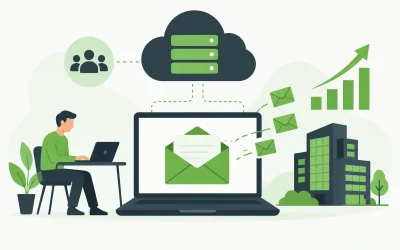
A customer is ready to send a purchase order, a proposal, or a support request. The address in your signature can quietly influence whether your business looks established enough to trust. That is why the business email versus Gmail decision is more than a preference for one inbox interface over another. It affects your brand, account control, security practices, and ability to grow without creating unnecessary administrative work.
For a freelancer using a personal address, Gmail is often the fastest way to get started. For a company operating from its own domain, business email usually provides the stronger long-term foundation. The right answer depends on how customers interact with your company, how many people need access, and how much control you need over business communications.
Business Email Versus Gmail: The Core Difference
A business email address uses a domain your organization owns, such as hello@yourcompany.com or name@yourcompany.com. The mailbox may be hosted through an email provider, a web hosting provider, or a productivity suite. What defines it is the domain and the administrative control behind it.
A standard Gmail account uses Google’s consumer email service, usually with an address ending in @gmail.com. It is free, familiar, and easy to create. It is also tied primarily to an individual rather than your business infrastructure.
The comparison becomes more nuanced with Google Workspace. Workspace can provide addresses at your custom domain while using the Gmail interface. In that case, you are not choosing a personal Gmail address over business email. You are choosing one business email platform over another. This distinction matters because many businesses say they use “Gmail” when they actually mean a professional, domain-based mailbox accessed through Gmail.
Why a Custom Domain Builds More Trust
A personal Gmail address is not automatically unprofessional. Independent consultants, early-stage founders, and local service providers often use one while getting started. But a custom-domain address gives customers a clear signal: this is an organization with a branded identity and a permanent point of contact.
Compare billing@northstaroutfitters.com with northstaroutfitters@gmail.com. The first reinforces the company name each time it appears in an inbox, quote, receipt, or customer service thread. It also keeps the address consistent with the business website. For eCommerce stores, agencies, and companies handling inquiries that involve payments or sensitive details, that consistency can reduce hesitation.
A business domain also makes role-based addresses practical. Rather than tying every interaction to one person, you can create sales@, support@, accounts@, or orders@ addresses. These addresses are easier for customers to remember and can be reassigned as responsibilities change. When an employee leaves, business communications do not have to leave with them.
Ownership and Offboarding Are Major Factors
The biggest drawback of relying on personal Gmail accounts is often not appearance. It is ownership. If a team member signs up for vendor accounts, customer tools, social profiles, or domain services using a personal Gmail address, your business may lose access when that person departs.
A business email system gives the organization a central place to create, manage, suspend, and remove mailboxes. You can maintain a shared support address, route messages to the right employee, and preserve important correspondence when staffing changes. This is especially useful for agencies managing client work, growing startups, and businesses with several people handling orders or customer support.
Domain ownership needs the same attention. Your business should control its domain registration, renewal settings, and administrator credentials. Email is only as stable as the domain behind it. A missed renewal or an account held by a former contractor can interrupt communication at exactly the wrong time.
Security Depends on More Than the Inbox
Gmail has strong security capabilities, including spam filtering and suspicious-login alerts. But free Gmail is designed for broad consumer use. A business needs to consider who administers accounts, how access is protected, where mail is stored, and what happens when a device is lost or a team member leaves.
Business email can support a more deliberate security posture. Start with unique, strong passwords and multi-factor authentication for every mailbox. Limit administrator access to the people who genuinely need it. Review forwarding rules, because compromised accounts are often configured to quietly send copies of messages to an outside address.
Your domain should also use email authentication records. SPF, DKIM, and DMARC help receiving mail servers verify that messages claiming to come from your domain are legitimate. These records do not stop every phishing attempt, but they are an essential part of protecting your brand from spoofing and improving legitimate mail delivery.
For many small businesses, spam filtering and malware protection are equally practical concerns. A missed customer inquiry is costly, but so is a malicious attachment that reaches an employee’s computer. Choose a provider that clearly explains its filtering, account recovery, backup, and support options rather than assuming every email service handles them the same way.
Cost: Free Is Not Always the Lowest-Cost Option
A personal Gmail account has no direct monthly fee, which makes it attractive when a business is just testing an idea. The hidden cost appears when the business needs branded addresses, shared access, better administration, or help resolving deliverability problems.
Business email has a monthly cost per mailbox or package, but the expense is generally predictable. It can also be a more efficient choice than piecing together free accounts, shared passwords, and manual forwarding rules. A professional address, spam protection, and responsive support can protect revenue and reduce time spent untangling account issues.
The lowest-cost option is not always the best value. A solo consultant who communicates with a handful of clients may need only one custom mailbox. A growing store may need separate addresses for customer service, fulfillment, and billing. An agency may need mailbox controls that keep client correspondence organized when project teams change. Buy for the operating reality you have now, with a path to add accounts later.
Gmail Can Still Be the Right Interface
Choosing business email does not mean abandoning Gmail’s familiar layout. If your team likes Gmail’s search, labels, mobile apps, and conversation view, a business solution built around Google Workspace may fit well. Your addresses can still use your own domain while employees work in an interface they already know.
Other businesses prefer email hosting that is closely connected to their domain and hosting environment. This can be a practical choice for organizations that want one provider for domains, web hosting, SSL, security services, and email support. At Charter Hosting, that kind of consolidated setup can simplify administration for business owners who would rather spend time serving customers than managing separate vendor accounts.
The platform should follow the workflow, not the other way around. Consider how your team shares calendars, stores documents, accesses mail on mobile devices, and handles support requests. If you depend heavily on collaboration tools, an integrated productivity suite may justify its higher per-user cost. If your need is dependable branded email with straightforward mailbox management, a focused business email service may be a better fit.
A Practical Way to Choose
Start with the address customers will see. If your business has a domain and intends to build a recognizable brand, use that domain for email. It creates a cleaner customer experience and gives you more control from day one.
Next, decide whether you need only email or a broader collaboration platform. A single owner with a website and a few inquiries may only need a professional mailbox, webmail access, and secure mobile setup. A distributed team may need shared calendars, video meetings, cloud storage, and centralized device policies.
Finally, evaluate the operational details before moving mail. Confirm mailbox storage, spam filtering, multi-factor authentication, support availability, migration assistance, and the ability to add or remove users. Test sending and receiving from a custom domain, especially if you use third-party tools for invoices, forms, newsletters, or online store notifications.
Set Up Business Email Without Disrupting Work
Email migration is manageable when it is planned. Create the new mailboxes first, then export or migrate the messages and contacts that employees need. Update the domain’s mail records at a low-traffic time, but do not cancel the old service until you have confirmed that incoming and outgoing mail are working correctly.
Notify key customers, vendors, and software providers about the new address. Update your website contact forms, invoice templates, social profiles, support documentation, and business listings. If you use role-based addresses, decide who receives each one and document the routing so customer messages do not sit unanswered.
A professional mailbox is a small piece of infrastructure, but it is one customers use constantly. Set it up around a domain you control, protect it with sound security practices, and choose support that will be there when an email issue cannot wait until tomorrow.