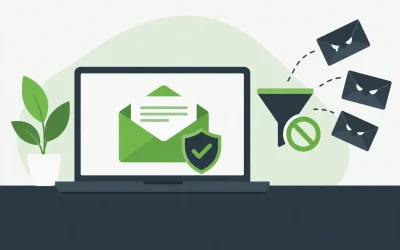
A missed customer email can cost far more than a mailbox subscription. When a sales quote arrives late, a password reset never reaches an employee, or a former contractor still has inbox access, email becomes an operational problem. The best email hosting for teams gives your business a professional address, dependable delivery, practical security controls, and an administration process that does not create more work for your staff.
For a small business, agency, or growing online store, the right choice is rarely the platform with the longest feature list. It is the service that matches how your team works, protects business communications, and can grow without forcing a disruptive migration later.
What teams need from business email hosting
Business email is different from a personal inbox. Your company needs to control the domain, create and remove accounts quickly, protect sensitive messages, and keep mail available when employees are working from different locations and devices.
A professional address such as name@yourcompany.com also establishes credibility. Customers are more likely to trust an address tied to your own domain than a free consumer mailbox, particularly when they are sharing payment details, approving a proposal, or requesting account support.
Reliability matters just as much. A website can experience a short interruption without every visitor noticing. Email failures are more immediate. Messages can bounce, land in spam folders, or arrive after a time-sensitive conversation has moved on. Look for a provider with dependable infrastructure, monitored services, and knowledgeable support available when a mailbox issue affects your day.
How to choose the best email hosting for teams
Start with the number of users you have now, then allow room for the next 12 to 24 months. A five-person company may only need a few mailboxes today, but seasonal staff, new sales representatives, shared departmental addresses, and additional domains can change that quickly. Choosing a plan that can add users without complicated account changes will save time later.
Next, consider how your team actually uses email. A field service business may depend on dependable mobile synchronization. A design agency may send and receive large attachments. An eCommerce company may need several shared addresses for orders, returns, and customer service. A professional services firm may place greater emphasis on mailbox retention, access controls, and security.
Do not overlook the connection between email and your domain. You need access to DNS settings so the domain can be configured correctly for mail delivery and authentication. When your domain, website hosting, and business email are managed in a connected environment, troubleshooting is often simpler. There is less uncertainty about who is responsible for a DNS record, a mailbox setting, or a delivery problem.
Prioritize mailbox storage that fits real work
Mailbox storage is easy to underestimate. A team that mainly exchanges text messages and documents may need modest capacity. Teams working with contracts, photos, invoices, CAD files, or regular client attachments will fill mailboxes faster.
Storage limits are not only about convenience. When employees have to constantly delete messages, they may remove records that are useful for customer history, billing questions, or internal decisions. Check whether storage can be increased, whether archiving is available, and how simple it is to export mail if your needs change.
Look for practical administration controls
The person responsible for email should be able to create accounts, reset passwords, manage forwarding, set up aliases, and remove access without opening a lengthy support request. These everyday tasks should be straightforward, even if the administrator is a business owner rather than a full-time IT specialist.
Shared addresses deserve special attention. An address such as support@, billing@, or sales@ should not depend on one employee forwarding every message manually. Use mailboxes, forwarding rules, aliases, or group tools that make ownership clear while keeping customer communication visible to the right people.
Offboarding is equally important. When an employee leaves, you should be able to suspend access immediately, preserve the mailbox if needed, redirect incoming mail, and make sure no customer inquiry disappears. This is a basic security practice, not an optional administrative detail.
Security features that protect business communications
Email remains one of the most common entry points for phishing, malware, account takeovers, and impersonation attempts. Good email hosting should include spam and virus filtering, but that is only the starting point.
Strong passwords and multi-factor authentication should be part of your account policy whenever available. Multi-factor authentication reduces the risk that a stolen or reused password gives an attacker full access to an employee mailbox. This matters because email accounts often contain password reset links for other business systems.
Your provider should also support the domain authentication records that help receiving servers verify your messages. SPF, DKIM, and DMARC are technical terms, but their purpose is simple: they help reduce spoofing and improve the legitimacy of mail sent from your domain. Proper configuration can also help protect your brand when criminals attempt to send fraudulent messages using a lookalike identity.
Encryption is another consideration. Secure connections between mail applications and the server help protect messages in transit. For organizations handling regulated information or highly sensitive client data, review retention requirements, backup options, access logs, and compliance needs before selecting a service. Standard business email may be suitable for many companies, but specialized obligations can require additional controls.
Uptime, deliverability, and support are not extras
A large mailbox allowance does not make up for poor delivery. The best email hosting for teams should be built on dependable infrastructure with proactive monitoring, redundancy where appropriate, and a clear process for addressing service issues.
Deliverability depends on more than the provider. Your own sending habits matter. Sending bulk marketing messages from a regular employee mailbox, using misleading subject lines, or failing to configure authentication records can hurt your reputation. Keep transactional, one-to-one business communication separate from high-volume marketing campaigns, and use the right tools for each purpose.
Support becomes especially valuable when the problem is unclear. An employee may be unable to send from a phone, a customer may report missing invoices, or a DNS change may interrupt delivery after a website update. Responsive support can shorten downtime and reduce the pressure on the person in your business who was suddenly assigned to fix email.
For businesses that want one provider for domains, web hosting, security services, and email, Charter Hosting can help simplify the foundation. Keeping essential services organized under a dependable hosting partner can make routine management and technical support easier as your business grows.
Avoid common email hosting mistakes
The lowest-priced option is not always the lowest-cost choice. A plan may look attractive until storage limits, security features, extra addresses, migration help, or support access create unexpected expenses. Compare what is included, not just the advertised starting price.
Another common mistake is treating migration as an afterthought. Moving email can involve existing messages, contacts, calendars, mobile devices, mail applications, DNS records, and user passwords. Before changing providers, identify the mailboxes that need to move, decide how long old accounts will remain accessible, and schedule the cutover when your team can test sending and receiving.
Teams also run into trouble when everyone uses a shared password for a departmental inbox. This removes accountability and makes offboarding difficult. Individual access, controlled forwarding, and documented mailbox ownership are safer ways to manage shared communication.
Finally, avoid selecting a platform solely because it is familiar to one employee. The right service should support the company as a whole, including the next hire, the next client-facing address, and the next security review.
Match your email plan to your stage of growth
A new business may need only a few professional mailboxes and reliable webmail access. At this stage, ease of setup, spam protection, and responsive support can matter more than advanced collaboration tools.
A growing business should focus on scalable user management, larger storage options, mobile support, shared addresses, and better account security. Agencies and resellers may also need to manage multiple client domains without losing track of who owns each mailbox and billing relationship.
For established companies, email hosting should fit into a broader continuity plan. That can include backups, retention policies, role-based access, secure domain management, and documented procedures for employee onboarding and offboarding. The goal is not to add complexity. It is to make routine operations predictable and reduce the impact of mistakes.
Choose email hosting the way you choose any business-critical service: based on what must keep working when your day gets busy. A professional mailbox, secure account controls, reliable delivery, and real support give your team a stronger foundation for every customer conversation that follows.