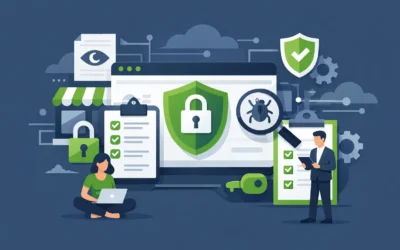
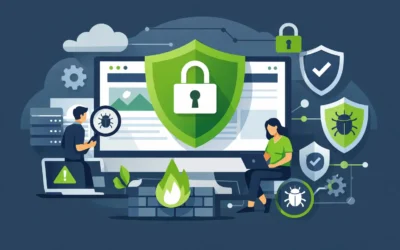
A compromised website rarely fails at a convenient time. It can interrupt sales during a promotion, send customers to malicious pages, damage search visibility, or leave a small team scrambling to restore data. The best website security tools reduce that risk by protecting different layers of your site: the connection, the application, the server, and your recoverable data.
No single product covers every layer. A firewall may block an attack but cannot replace a clean backup. An SSL certificate encrypts visitor data but does not remove malware. The right setup depends on the type of site you run, how often it changes, and how much downtime your business can tolerate.
What the Best Website Security Tools Should Cover
For most small businesses, security works best as a coordinated set of protections rather than a single add-on. At minimum, your plan should include malware detection and removal, a web application firewall, automated backups, SSL, and a process for keeping website software current.
Ecommerce stores, membership sites, agencies, and sites that collect customer information should go further. They may need stronger access controls, uptime monitoring, spam filtering, vulnerability scanning, and server-level hardening. The goal is practical: prevent common attacks, detect issues quickly, and restore service without losing critical work.
1. SiteLock for Malware Scanning and Cleanup
SiteLock is designed to scan websites for malware, suspicious code, known vulnerabilities, and blacklist status. It is a practical choice for business owners who do not have the time or technical staff to inspect files and logs every day.
Its main value is early detection. Malware often remains hidden until a search engine warning, a customer complaint, or a hosting suspension brings it to light. Scheduled scanning can identify a problem before it becomes a larger outage or reputation issue. Plans that include automatic malware removal can also shorten the time between detection and recovery.
SiteLock is especially useful for brochure sites, online stores, and WordPress sites with multiple plugins. It should still be paired with updates and backups. Scanning finds threats, but reducing the number of vulnerabilities is what limits repeat incidents.
2. CodeGuard for Automated Website Backups
A backup is the safety net that makes security incidents recoverable. CodeGuard automatically stores copies of your website files and databases, monitors for changes, and supports one-click restoration when something goes wrong.
This protection matters for more than malware. A faulty plugin update, an accidental file deletion, a database error, or an unsuccessful redesign can take a site offline just as effectively as an attack. For a store processing orders or a service business collecting leads, restoring yesterday’s working version may be far less costly than troubleshooting a damaged site under pressure.
Choose a backup schedule that reflects how frequently your content and customer data change. A static company website may be well served by daily backups. An active ecommerce store or membership platform may need more frequent backup points. Also confirm that both files and databases are included. Restoring only one without the other can leave an application incomplete.
3. SSL Certificates for Encrypted Connections
SSL certificates enable HTTPS, encrypting data exchanged between a visitor’s browser and your website. They are essential for login pages, contact forms, checkout processes, and any site that handles personal or payment-related information.
SSL is now a basic expectation. Browsers can flag unencrypted sites as not secure, which can discourage visitors before they fill out a form or complete a purchase. It also helps protect credentials and submitted data from interception on unsecured networks.
A free SSL certificate is enough for many standard websites, particularly when it is installed and renewed automatically through the hosting environment. Businesses with specialized validation needs, complex subdomain structures, or compliance requirements may prefer a different certificate type. The priority is not paying for the most expensive option. It is ensuring every public page and form consistently uses HTTPS.
4. A Web Application Firewall for Attack Blocking
A web application firewall, often called a WAF, sits between your site and incoming traffic. It filters requests that match known attack patterns, helping block threats such as SQL injection, cross-site scripting, malicious bots, and repeated login attempts.
A WAF is particularly valuable for WordPress because its popularity makes it a frequent target. It can reduce the volume of harmful requests that reach the application, preserving server resources as well as improving security. For ecommerce sites, it also helps limit automated abuse such as card-testing attempts and aggressive scraping.
Firewall rules are not perfect. Overly strict settings can occasionally block a legitimate visitor, developer, or third-party service. Choose a provider with clear reporting and support so exclusions can be reviewed when necessary. The best configuration balances protection with normal business activity.
5. Wordfence for WordPress-Specific Protection
Wordfence is a WordPress security plugin that combines a firewall, malware scanning, login security, and activity monitoring. It is a strong option for site owners who want controls inside the WordPress dashboard and visibility into common WordPress threats.
Its login protection features are especially helpful. Weak passwords, reused credentials, and unprotected administrator accounts remain common entry points. Enabling two-factor authentication for administrators and limiting repeated login attempts can stop many basic account takeover attempts before they begin.
Wordfence is not a substitute for secure hosting or offsite backups. It operates at the application level, so it is most effective when the underlying server is maintained, permissions are correctly configured, and the WordPress core, themes, and plugins are updated regularly.
6. Sucuri for Website Firewall and Incident Response
Sucuri provides website security services focused on malware detection, cleanup, monitoring, and cloud-based firewall protection. It can be a good fit for businesses that want an external security layer in front of their website and a specialized team available if the site is compromised.
Its cloud firewall can filter harmful traffic before it reaches your hosting server. That can help reduce load from bots and certain denial-of-service attempts while protecting the site from known exploits. For a high-traffic business site, this external layer can be useful alongside server-side controls.
The trade-off is that configuration may require updating DNS settings and understanding how caching affects changes to your site. Agencies and developers usually handle this comfortably, while first-time site owners may want assistance from their host or web professional.
7. Spam Filtering for Business Email
Website security is closely tied to email security. A phishing message sent to an administrator can lead to stolen hosting credentials, fraudulent domain transfers, or unauthorized access to a website dashboard. Spam filtering helps keep malicious and unwanted messages out of employee inboxes.
Use a business email service with effective spam and malware filtering, then reinforce it with strong passwords and multi-factor authentication where available. Staff should be cautious with password-reset emails, invoices, and requests to change banking or domain details. Security tools help, but a convincing phishing email can bypass an unprepared user.
8. Uptime and Change Monitoring
A site can be unavailable or altered without triggering a conventional malware alert. Uptime monitoring notifies you when your website cannot be reached, while change monitoring can flag unexpected edits to key pages, scripts, or files.
These tools are useful for businesses that rely on online lead generation or sales. If a homepage is defaced, a checkout page fails, or an expiration causes a service interruption, minutes matter. Monitoring provides the awareness needed to contact support, roll back a backup, or investigate a recent change before the issue costs more traffic.
9. Vulnerability Management and Software Updates
Outdated software is one of the most preventable website security problems. WordPress, plugins, themes, ecommerce platforms, and custom applications all receive updates that fix bugs and close known vulnerabilities. Delaying every update is risky, but installing every update blindly can also break a site.
Use a staged approach. Maintain a current backup, test major updates on a staging copy when possible, then apply them promptly to production. Remove plugins, themes, and applications you no longer use. Even inactive components can become an exposure if they remain installed and outdated.
For managed WordPress environments, platform-level updates and proactive monitoring can reduce the operational burden. For VPS and dedicated server customers, the responsibility may extend to operating system patches, service configuration, and access management, making a documented maintenance schedule essential.
10. Secure Hosting Controls
Security tools are more effective when the hosting foundation is sound. Look for a provider that includes SSL support, isolated accounts where appropriate, malware protection options, current server software, reliable backups, and responsive technical support. Server performance also plays a role: a resource-constrained environment can struggle under bot traffic or a malicious request flood.
Charter Hosting can help businesses combine security services such as SiteLock, CodeGuard, SSL, and spam filtering with hosting that fits their application and growth plan. The right environment may be shared hosting for a new business site, managed WordPress for a content-driven site, or VPS, cloud, and dedicated resources for more demanding workloads.
Build a Security Stack That Matches Your Risk
Start with the protections that prevent the most expensive failures: HTTPS, automated backups, software updates, strong administrator access controls, and malware monitoring. Add a firewall when your site receives meaningful traffic, processes transactions, or runs a commonly targeted application such as WordPress.
Then test your recovery process. Confirm that you know where backups are stored, who has access to domain and hosting accounts, and how quickly your site can be restored. A security plan becomes valuable when it gives your business a clear, calm path forward on the day something goes wrong.