A WordPress Multisite network can turn one WordPress installation into a practical control center for dozens or hundreds of websites. For an agency managing client sites, a school serving departments, or a business operating regional locations, that efficiency is valuable. But this WordPress multisite hosting guide starts with the decision that causes the most trouble later: choosing hosting built for a shared application environment, not simply choosing the lowest-cost plan.
Multisite sites share core WordPress files, database resources, server capacity, and, in many cases, plugins and themes. A problem on the underlying server can affect every site in the network. The right environment needs to be fast, secure, monitored, and able to grow without forcing a disruptive rebuild.
What WordPress Multisite Actually Changes
Standard WordPress runs one website per installation. With Multisite enabled, one installation hosts a network of separate sites. Each site can have its own users, pages, posts, media library, theme settings, and domain. A network administrator controls the WordPress core, installed plugins, available themes, and network-wide configuration.
That central control is the main advantage. Instead of logging into 40 separate WordPress dashboards to update a plugin or apply a security fix, an administrator can manage the shared software once. It reduces repetitive maintenance and gives organizations a more consistent foundation.
The trade-off is shared responsibility. Network sites are not isolated in the way separately hosted WordPress installations are. A poorly coded plugin, an unusually busy site, or a large backup process can consume resources that other sites need. Multisite is usually a strong fit when sites share an owner, standards, and technical oversight. It is less suitable when every site needs unrestricted control over plugins, server settings, or update timing.
Choose the Right Multisite Network Structure
Before selecting a hosting plan, decide how the network will organize sites. WordPress Multisite supports subdomains and subdirectories. A subdomain structure creates addresses such as store.example.com and support.example.com. A subdirectory structure uses addresses such as example.com/store and example.com/support.
Subdomains can make sense for distinct brands, branches, or client properties. They require DNS and SSL planning, especially when new sites are created frequently. Subdirectories are often easier for content sections under one primary brand, but they may not fit a network where each site needs a separate identity.
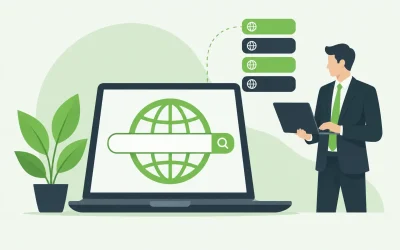
Multisite can also map individual domains to sites in the network. For example, an agency can manage several client domains through one network while each client keeps its public-facing domain. Domain mapping is useful, but it raises the stakes for DNS configuration, SSL certificate coverage, redirects, and migration planning. Test these details before moving production traffic.
WordPress Multisite Hosting Guide: What Your Server Needs
Multisite does not automatically require a dedicated server. A small network with modest traffic may run well on quality shared or managed WordPress hosting. The question is not the number of sites alone. It is the combined traffic, plugin load, database activity, media usage, and operational importance of those sites.
A small network of lightweight brochure sites may use fewer resources than one busy WooCommerce store. Conversely, a network with learning tools, membership plugins, large image libraries, or scheduled imports can outgrow entry-level hosting quickly.
When evaluating WordPress multisite hosting, focus on the resources and controls that affect the whole network:
- CPU and memory capacity: WordPress, PHP processes, database queries, caching, and administrative tasks all compete for available resources. Consistent CPU and memory headroom helps prevent one active site from slowing down the rest.
- Fast SSD storage: Database reads, WordPress files, and media assets benefit from responsive storage. SSD-based hosting improves everyday dashboard responsiveness and page delivery.
- Database performance: Multisite uses a shared database with tables for the network and individual sites. As traffic and content grow, database efficiency becomes a larger part of overall performance.
- Caching options: Page caching, object caching, and a content delivery strategy can reduce server work. Confirm that your caching setup supports the plugins and logged-in experiences your sites require.
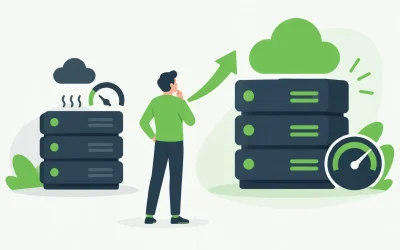
- Scalable infrastructure: Cloud hosting, VPS hosting, and dedicated servers provide more predictable resources and greater configuration control as a network becomes business-critical.
For many growing organizations, a VPS is the practical middle ground. It provides dedicated portions of server resources and more administrative flexibility than shared hosting without the cost and complexity of a full dedicated server. A dedicated environment becomes more appropriate when traffic is consistently high, resource use is demanding, or compliance and performance requirements call for maximum control.
Plan for Performance Before the Network Feels Slow
Multisite performance issues are often blamed on WordPress when the real cause is a crowded plugin stack, inefficient theme code, uncached database queries, or an undersized hosting plan. Because every site uses the same core environment, performance discipline matters more than it does for a single standalone site.
Start with a lean plugin policy. Network-activate only plugins that every site genuinely needs. Allowing site administrators to install plugins freely can create compatibility problems and make troubleshooting harder. Vet plugins for update history, support quality, PHP compatibility, and their effect on database queries.
Use a well-maintained theme framework or a small set of approved themes. This does not mean every site must look identical. It means the network should avoid dozens of abandoned or heavily customized themes that complicate updates.
Media management deserves attention as well. A shared network can accumulate large image, video, and document libraries quickly. Set upload size limits that reflect real business needs, optimize images before upload, and use a delivery strategy appropriate for media-heavy sites. Backups also become larger as the media library grows, so storage and retention policies should be reviewed regularly.
Security and Backups Are Network-Level Decisions
A Multisite administrator has significant control, which makes account security especially important. Require strong passwords, use multi-factor authentication where available, limit network administrator access, and remove accounts that no longer need access. A compromised network admin account can affect every site in the network.
Keep WordPress core, approved themes, and plugins updated on a schedule. Test major updates in a staging environment first when possible. An update that conflicts with a network-activated plugin can impact all sites at once, so a controlled process is safer than applying changes during peak business hours.
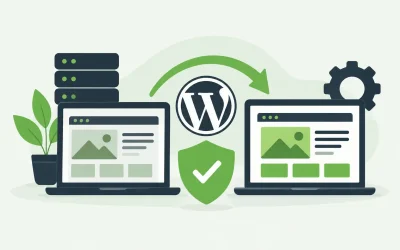
Backups should cover the database, WordPress files, uploaded media, and the configuration details required to restore mapped domains. Just as important, confirm how restoration works. A backup is only useful if you can restore the network quickly and accurately after a failed update, malware incident, or accidental deletion.
Security services such as malware scanning, web application protection, SSL certificates, and spam filtering can support a stronger overall posture. They should complement, not replace, good administrative controls and timely patching.
When to Move Beyond Shared Hosting
Shared hosting can be a sensible starting point for a new or low-traffic Multisite network. It keeps costs manageable and can be easy to administer. However, it has resource limits, and those limits matter more when many sites depend on the same account.
Consider moving to managed WordPress hosting, cloud hosting, or a VPS when you see recurring slowdowns, CPU or memory limit warnings, increased administrative traffic, long backup windows, or growing eCommerce and membership activity. A move may also be justified before a seasonal campaign, product launch, or migration of additional client sites. Waiting for a network-wide outage is rarely the best time to evaluate infrastructure.
A provider that can support shared hosting, managed WordPress, VPS, cloud, and dedicated servers gives you a clearer upgrade path. Charter Hosting can help businesses evaluate the resources their WordPress network needs, including migration support when an existing environment no longer fits.
Build for Control, Not Just Convenience
WordPress Multisite is most valuable when its central management reduces real operational work. Document who can create sites, approve plugins, update themes, manage domains, and restore backups. Those decisions prevent a convenient network from becoming an unmanaged collection of exceptions.
Start with hosting that fits current demand, leave room for growth, and monitor performance before users notice a problem. A well-planned Multisite network gives your team fewer WordPress installations to manage while keeping every site on a fast, reliable foundation.